Create from a reference. Keep the prompt with the result.
Bring a product photo, sketch or visual reference. Describe what to preserve and what to change, then use a reference-compatible image model in GenTidy.
Generation requires sign-in, invitation access and the current model quote. Read the guide
Create right here.
Describe your subject, composition and visual style, or start from a reference. Choose the available model and output settings, review the credit quote, then create. Refine one detail at a time and keep the prompt with the result you want to revisit.
Text-to-image begins with a description. Image-to-image also gives the model a visual starting point: the shape of a product, the proportions of a character, the structure of a diagram or the texture of an illustration. The reference does not guarantee an exact copy. It helps communicate details that would be difficult to describe with words alone.
Separate the role of each reference. A style image can guide palette and brushwork, a pose can guide a body position, and a layout can guide information hierarchy. A product photograph should define the actual subject. Combining unrelated references without describing their roles can produce a confused composition. Start with one clear source and add more only when each has a purpose.
Prepare a reference and a focused instruction
The web reference control accepts PNG, JPG or WebP files up to 4 MB. Use a clear image with the details you need to preserve visible. Describe the subject, the important features that should remain recognizable, the change you want, and the desired aspect ratio. Put exact on-image wording in quotation marks. You remain responsible for the rights to images you upload.
For a product scene, ask to retain the shape, material and key markings while changing only the environment. For an infographic, supply the real facts and labels; a sample layout is a composition reference, not a source of verified information. Browse ecommerce templates, infographic templates, or the reference gallery when you need a starting direction.
Check access, model availability and the quote
The generator here uses the existing GenTidy image service. Creating requires a signed-in account with the necessary invitation access and enough available credits. The model list and quote come from the service. Choose an enabled model that accepts references; a text-only model cannot use an attached image just because the prompt mentions it.
The credit cost depends on the selected model and settings, including supported output options and batch size. Review the quote before submitting. There is no universal fixed credit price for every image. The pricing page explains the current monthly plans, while the generator supplies the quote for the actual request. Joining the waitlist subscribes to access news; it does not create an image or purchase a plan.
Review the result one change at a time
Compare the output with your source. Check the parts that matter: product geometry, character details, readable labels, lighting and crop. If a result changes too much, make the preservation instruction more explicit. If a detail is critical, inspect it at full resolution rather than judging a small preview.
Change one instruction per iteration so you can understand what helped. Keep the useful prompt with the generated work, rather than relying on a filename to explain it later. If a request times out, first check its existing job status before submitting again. An uncertain response is not evidence that the original job failed. GenTidy retains the in-flight request state while it reconciles the result.
Continue on Mac or organize the work
GenTidy for Mac can connect your local Codex CLI or a compatible custom image API using your own service account. The web and Mac product share an account system, but your local files and a third-party provider account are not automatically the same as your hosted library. Check where a result is saved before deleting an original.
Keep the prompt, model and important settings with the version you intend to reuse. Imported images may not contain their original generation settings, and missing metadata cannot be reconstructed reliably. The organizing guide describes a filing method; the getting-started guide covers access and the first creation. Compare workflows in our AI image generator guide if you are choosing a tool.
A documented reference-edit example
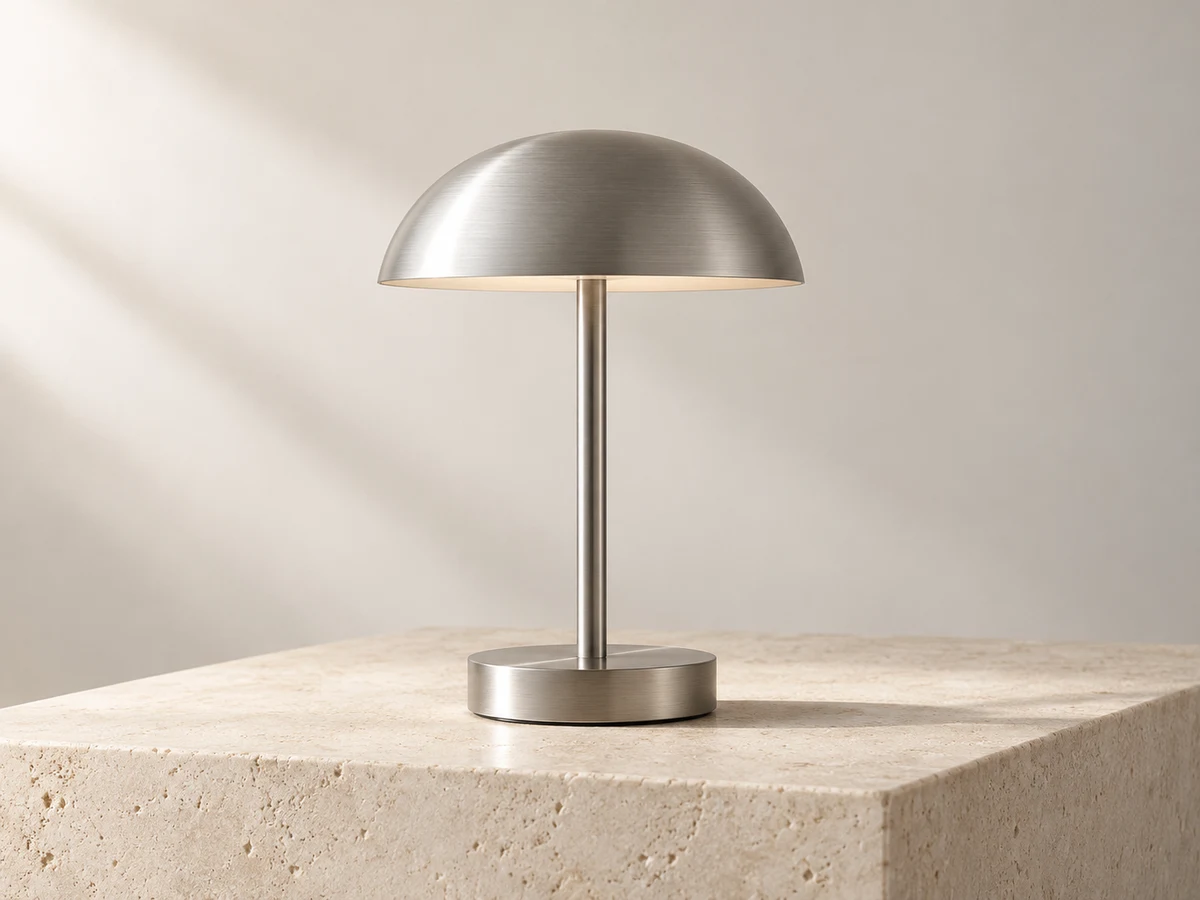
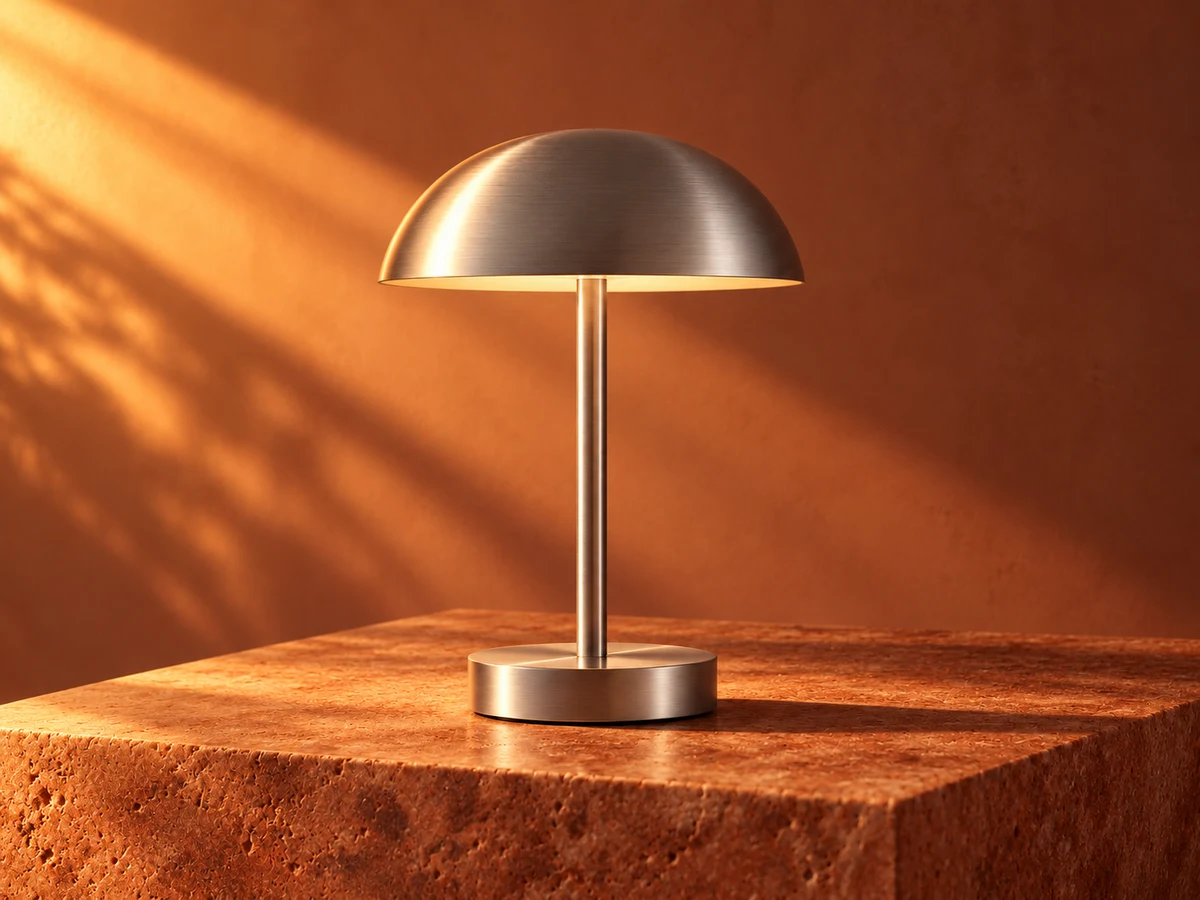
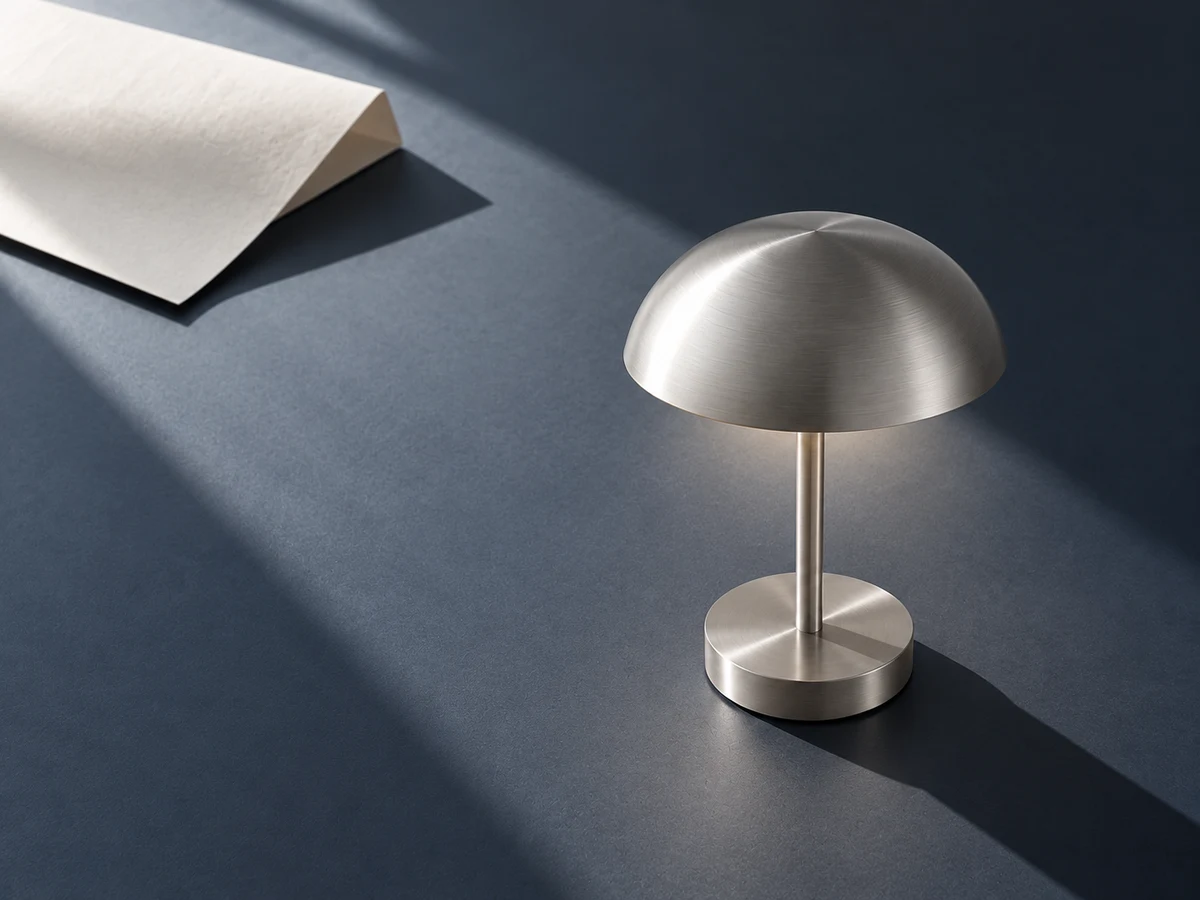
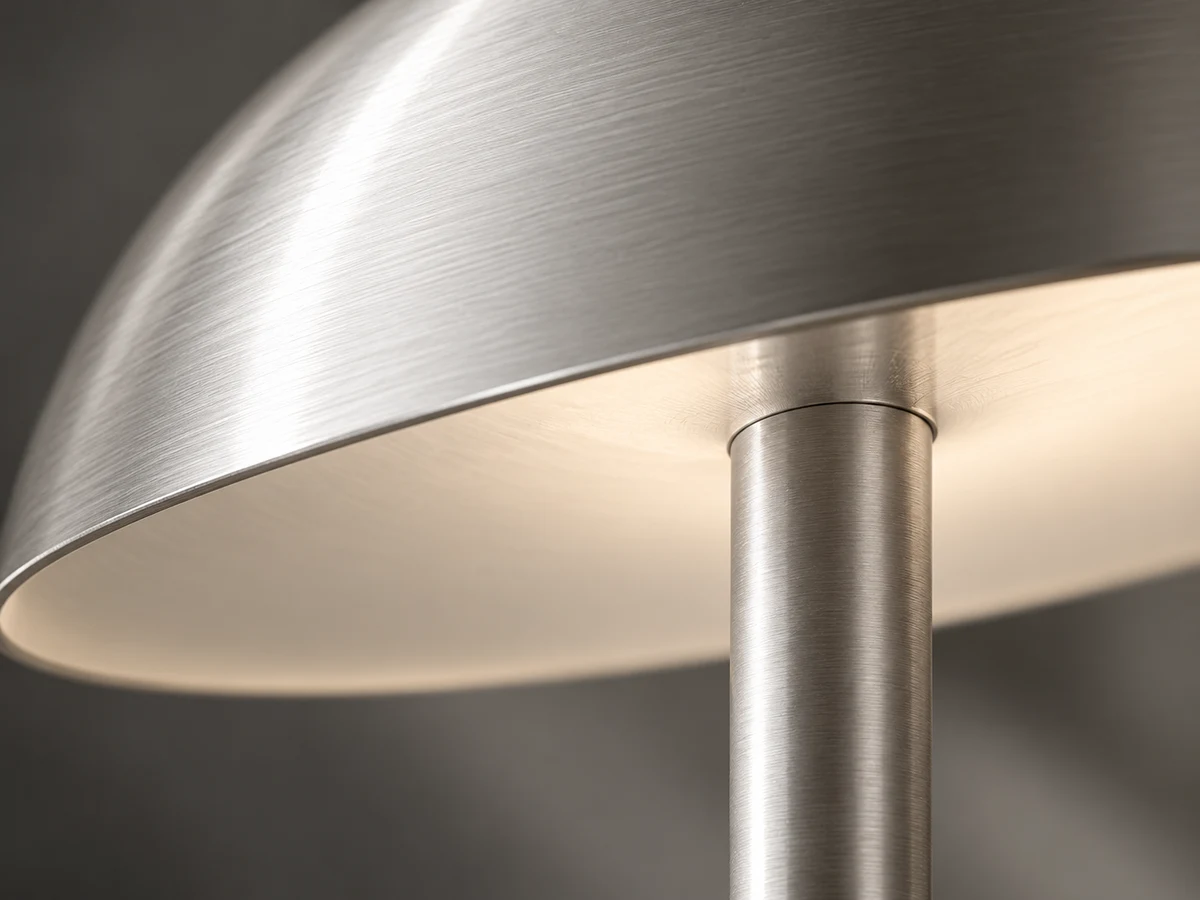
One lamp reference, three separately generated directions. These pre-generated assets were made with the Codex image-generation tool and reviewed on November 17, 2026. The exact model version, original generation date and cost were not recorded, so they are not a price or speed benchmark of the hosted models.
Original referenceRead the recorded prompt
Create an original high-end editorial product photograph for an AI creative studio's reference image. Horizontal 4:3 composition. One beautifully simple brushed-aluminum portable table lamp, a shallow domed mushroom shade, slender straight cylindrical stem and low round cylindrical base. A continuous clean silhouette with no cables, no switches or branding visible. Lamp stands on a pale warm ivory stone plinth against a seamless soft off-white studio background. Restrained monochrome silver, ivory and graphite shadows, diffuse natural side light from the left, precise tactile metal texture, a soft sculptural shadow cast to the right. Three-quarter eye-level view, entire lamp clearly visible and elegantly centered with generous negative space. Contemporary design magazine / premium product campaign art direction, sophisticated and quiet, optically realistic, subtle analog grain, no illustration, no people, no text, no typography, no watermark, no collage. This will be the ORIGINAL reference for three later image edits; make the object recognizable and geometrically clean.
Warm directionRead the recorded prompt
Use the attached lamp reference image as the visual identity reference. Preserve the exact recognizable lamp design: brushed-aluminum shallow dome shade, straight slender stem and low circular base, with consistent physical proportions. Produce a new original high-end editorial product photograph, horizontal 4:3. No text, no logos, no watermark, no collage, no people. WARM DIRECTION: transform the lighting and environment into a rich warm sunset campaign. Keep the full lamp centered at a similar eye-level view, but use muted terracotta and burnt-sienna seamless walls, a warm rust stone pedestal, strong raking late-afternoon amber sunlight and a long deep diagonal shadow. The brushed silver lamp remains silver with realistic copper-tinted reflections, a subtle warm glow beneath its shade. Cinematic and restrained, tactile premium materials, visibly warmer and more dramatic than the ivory original. This must be a newly rendered variant, not a color filter on the source.
New compositionRead the recorded prompt
Use the attached lamp reference image as the visual identity reference. Preserve the exact recognizable lamp design: brushed-aluminum shallow dome shade, straight slender stem and low circular base, with consistent physical proportions. Produce a new original high-end editorial product photograph, horizontal 4:3. No text, no logos, no watermark, no collage, no people. NEW COMPOSITION: radically recompose the same lamp in a sophisticated dark still life. A high-angle three-quarter camera looking downward around 60 degrees, show the dome prominently while retaining the entire lamp and its base. Place the lamp off-center in the lower-right third on a deep blue-gray matte tabletop. A single large folded ivory paper sheet rests far away in the upper-left, ample negative space between them. Cool daylight makes a distinct diagonal geometric shadow; precise silver reflections. Wider environmental framing, editorial art direction. Clearly different camera, placement and surrounding space from the reference, without redesigning the object.
Detail explorationRead the recorded prompt
Use the attached lamp reference image as the visual identity reference. Preserve the exact recognizable lamp design: brushed-aluminum shallow dome shade, straight slender stem and low circular base, with consistent physical proportions. Produce a new original high-end editorial product photograph, horizontal 4:3. No text, no logos, no watermark, no collage, no people. DETAIL EXPLORATION: extreme macro photograph of the same lamp's thin brushed-aluminum shade rim and the connection of its slender cylindrical stem just under the dome. Crop deliberately and boldly so that the graceful arc of the dome crosses the frame diagonally; only the material detail is visible, not the entire object or base. Fine concentric brushed-metal grain, tiny realistic machining marks, soft silver highlights and deep graphite falloff, very shallow depth of field, tactile luxury industrial-design study. Neutral monochrome silver and charcoal, abstract sculptural beauty. A newly rendered close-up, not a crop of the provided image.
Questions before you create
Can I use GenTidy image to image without signing in?
You can browse examples and prepare an idea. Submitting a generation requires sign-in, invitation access and sufficient credits. The generator shows the available models and quote.
Does every image cost the same number of credits?
No. The quote depends on the selected model, supported settings and batch size. Read the current quote before sending the request.
Will a reference preserve every detail exactly?
No model guarantees an exact match. Describe the features that must stay, inspect the output, and use an appropriate editing workflow when exact geometry or text is essential.
Are the example pictures live results from this form?
The lamp examples below are pre-generated assets documented in the GenTidy repository. They illustrate reference-based changes. They are not a live result from your input or a benchmark of every hosted model.
 GenTidy