AI product image templates for ecommerce
GenTidy has 24 free AI product image templates, one for each image a product listing usually needs: the main image, selling-point callouts, specs, lifestyle scenes, how-to steps, promotions and more. Each template is a structured prompt. Fill in your product, pick a style, and the scene follows that style while the product stays photorealistic.
Copying prompts and browsing templates is free and needs no sign-in. Generating images in the needs an email sign-in and credits.
Why use templates for ecommerce product photos with AI?
A single product page often needs eight or more images, and each one has a different job. A generic prompt such as "nice product photo" gives you one pretty picture. It won't give you a size chart, a what's-in-the-box shot, or a comparison that holds up.
Each GenTidy template states:
- The job of the image, for example "make the product understood at first glance" or "help shoppers pick the right size".
- The fields to fill: audience, topic, copy, product, plus the fields that template needs, such as specs, steps or offer details.
- Guardrails against invented facts. The templates for specs, certifications, reviews, comparisons and promotions tell the model to use only what you provide. They must not make up badges, numbers, star ratings or competitor claims.
- A product realism rule. The background can be a watercolor, a doodle or a 3D clay set, but the product itself stays photorealistic so shoppers see what they'll actually get.
How to use a template
- Pick the template for the image you need (see the table below).
- Copy the prompt and replace each
{field}with your product details. Leave a field empty and the model will infer it from your product info and reference image. - Add a reference photo of your product if you have one. It helps the model keep the shape, color and logo accurate.
- Choose a style in the web tool, or keep it clean and photographic.
- Generate in the , or in GenTidy for Mac (public build coming soon). You can also paste the prompt into any image model you already use.
Tip: generate the main image (EC-001) first, then reuse it as the reference image for the other templates. Your product will look consistent across the whole listing.
Which template do you need?
| If you need to… | Use |
|---|---|
| Get the click in search results | EC-001 Main Product Image, EC-024 Hero / Key Visual |
| Explain why it's worth buying | EC-005 Key Selling Points, EC-006 Feature Demo, EC-013 Comparison |
| Answer "will it fit / which one?" | EC-007 Specs & Dimensions, EC-014 Variants & SKUs, EC-015 Fit & Buying Guide |
| Show quality and build trust | EC-003 Detail Close-Up, EC-008 Materials & Structure, EC-017 Quality & Craftsmanship, EC-018 Certifications & Proof, EC-019 Reviews & Social Proof |
| Help shoppers imagine owning it | EC-009 Lifestyle Scene, EC-010 Product in Use, EC-011 Multi-Scenario Use |
| Reduce returns and support tickets | EC-004 What's in the Box, EC-012 How-To Steps, EC-016 FAQ & Notes |
| Launch or sell | EC-020 Brand & Origin Story, EC-021 New Arrival, EC-022 Promotion & Sale, EC-023 UGC-Style Post |
A worked example
Here is EC-005 (Key Selling Points) filled in for a fictional product:
Ecommerce selling-point callout image. Goal: quickly communicate the most important reasons to buy. Audience: home baristas who make coffee every morning. Topic: a pour-over dripper that is easy to clean. Copy: "Brew. Rinse. Done." Product: matte black ceramic pour-over dripper, size 02. Key selling points: dishwasher-safe ceramic; spiral ribs for even flow; fits most mugs. Priority: easy cleaning first. Design the callouts and hierarchy. Keep the product photorealistic.Only list selling points that are true for your product. The model will lay them out, but it can't check them for you.
Good to know
- Prompts are adapted from the original Chinese templates. The source library is written in Chinese, and these English versions keep the same structure and guardrails.
- Output size depends on the model. Your chosen aspect ratio guides the composition. The final pixel size is whatever the model returns.
- Text in images: check product names, numbers and prices before you publish. AI models can still misspell text.
- Marketplace rules: many marketplaces have their own main-image rules, such as a white background. Check your platform's guidelines before you upload.
Layouts and style references are adapted from handraw-style by yang0 (MIT license, attribution required).
Learn more
- Hand-drawn illustration prompt guide: the method behind layouts and styles (中文版)
- GenTidy guide: how the free prompt tool and the studio work
- GenTidy home: browse styles and layouts for free
- Traditional Chinese styles: ink, gongbi, murals and folk painting styles to pair with these layouts
- GenTidy for Mac: generate from your menu bar (public build coming soon)
- Pricing: how credits work
- AI infographic templates: timelines, comparisons, processes and data panels
All 24 ecommerce templates
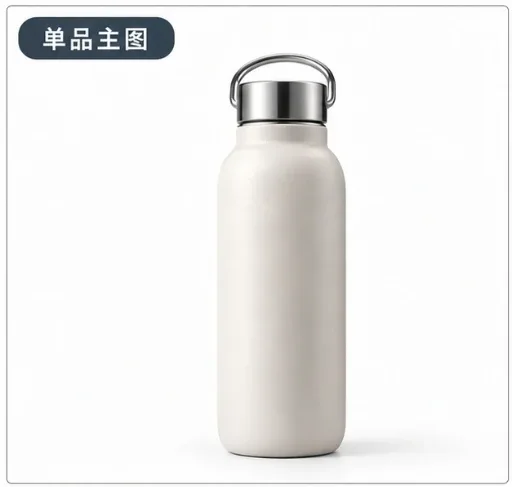
EC-001 · Main Product Image
- Use it for: Your listing's first image: the product, clear and centered, understood at a glance.
- Example image:
 · caption: "Example image from handraw-style by yang0"
 - Prompt (copy):
Ecommerce main product image. Goal: shoppers understand the product at first glance. Audience: {audience}. Topic: {topic}. Copy: {copy, or leave for the model to design}. Product: {product}. Identity details to keep: {logo, color, shape; leave blank if none}. Keep the product clear and dominant. The scene may follow the chosen style, but the product itself must stay photorealistic.EC-002 · Multi-Angle View
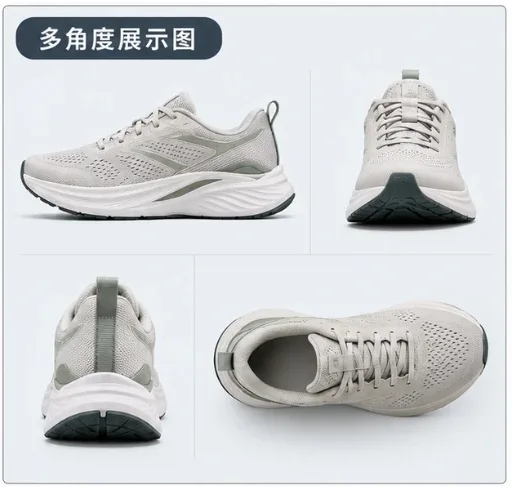
- Use it for: Show the overall shape and structure from several viewpoints.
- Example image:
 · caption: "Example image from handraw-style by yang0"
 - Prompt (copy):
Ecommerce multi-angle image. Goal: show the product's overall structure from different viewpoints. Audience: {audience}. Topic: {topic}. Copy: {copy}. Product: {product}. Angles or parts to feature: {angles; otherwise choose the most informative views}. Arrange the views clearly. The scene may follow the chosen style; keep the product photorealistic.EC-003 · Detail Close-Up
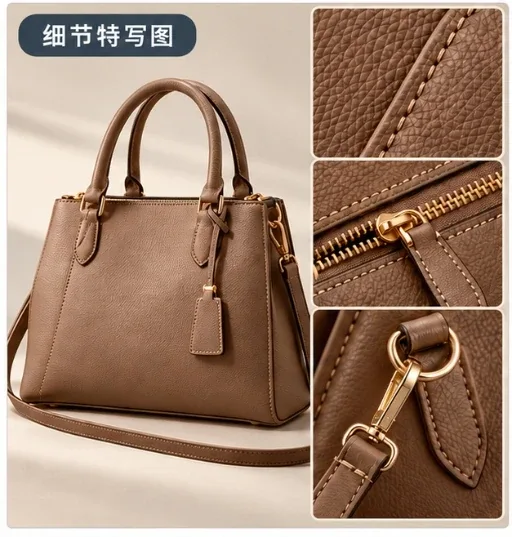
- Use it for: Zoom in on the craftsmanship, texture or detail worth paying for.
- Example image:
 · caption: "Example image from handraw-style by yang0"
 - Prompt (copy):
Ecommerce detail close-up. Goal: highlight the product's most important real detail, workmanship or texture. Audience: {audience}. Topic: {topic}. Copy: {copy}. Product: {product}. Key detail: {detail from your product info}. Choose framing and light to show the texture. Keep the product photorealistic.EC-004 · What's in the Box
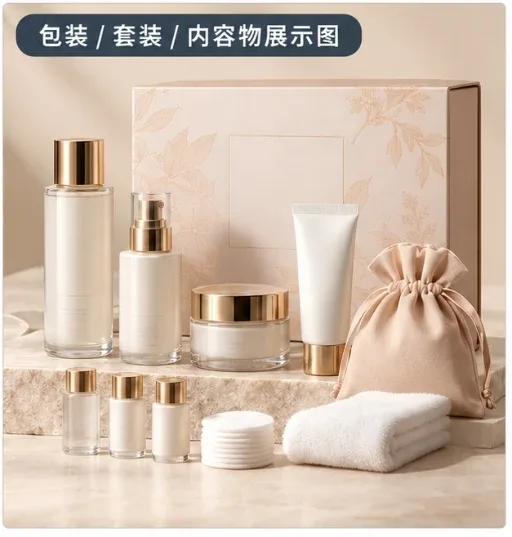
- Use it for: Show exactly what the buyer gets: packaging, set contents and accessories.
- Example image:
 · caption: "Example image from handraw-style by yang0"
 - Prompt (copy):
Ecommerce package and contents image. Goal: show exactly what the buyer receives. Audience: {audience}. Topic: {topic}. Copy: {copy}. Product and contents: {item list; do not add accessories or gifts that are not included}. Lay the items out clearly. Keep the product photorealistic.EC-005 · Key Selling Points
- Use it for: Call out the 3–5 real reasons to buy, in priority order.
- Example image:
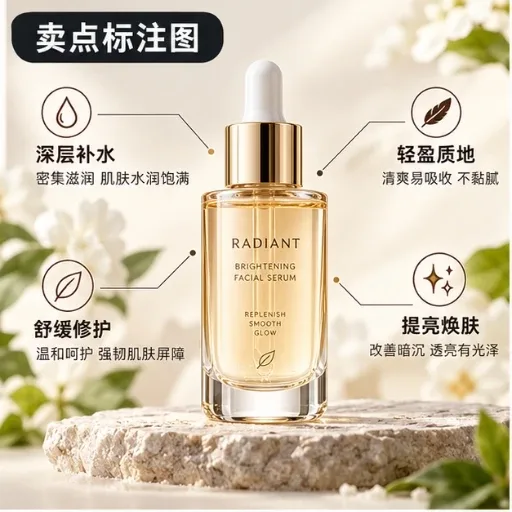 · caption: "Example image from handraw-style by yang0"
 - Prompt (copy):
Ecommerce selling-point callout image. Goal: quickly communicate the most important reasons to buy. Audience: {audience}. Topic: {topic}. Copy: {copy}. Product: {product}. Key selling points: {3–5 real points from your product info}. Priority: {rank by what matters most to this audience}. Design the callouts and hierarchy. Keep the product photorealistic.EC-006 · Feature Demo
- Use it for: Show what the product does and how its main function works.
- Example image:
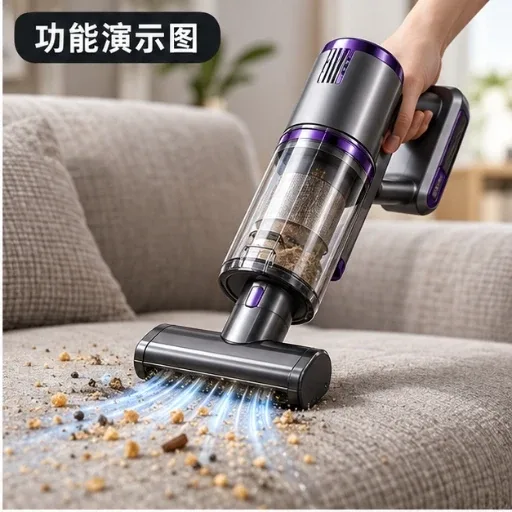 · caption: "Example image from handraw-style by yang0"
 - Prompt (copy):
Ecommerce feature demo image. Goal: show what the product does and how its core feature works. Audience: {audience}. Topic: {topic}. Copy: {copy}. Product: {product}. Core feature: {feature}. What it acts on and the result: {only confirmed effects; do not invent results}. Keep the product photorealistic.EC-007 · Specs & Dimensions
- Use it for: Make the size, capacity and weight that drive buying decisions easy to read.
- Example image:
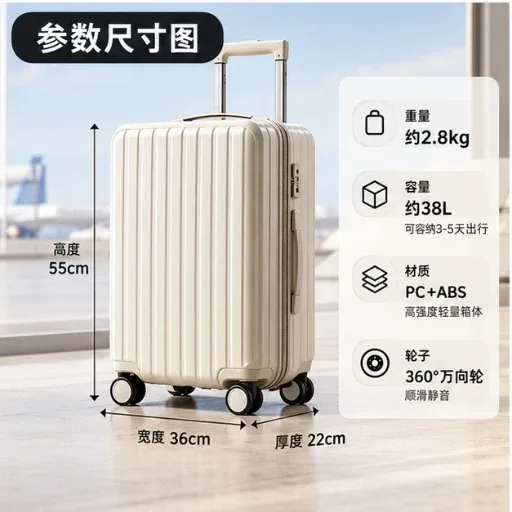 · caption: "Example image from handraw-style by yang0"
 - Prompt (copy):
Ecommerce specs and dimensions image. Goal: make the key specs and dimensions easy to understand. Audience: {audience}. Topic: {topic}. Copy: {copy}. Product: {product}. Key specs: {real size, capacity, weight from your data; never guess}. Show only the specs that matter most. Keep the product photorealistic.EC-008 · Materials & Structure
- Use it for: Explain what it's made of and why the materials or structure matter.
- Example image:
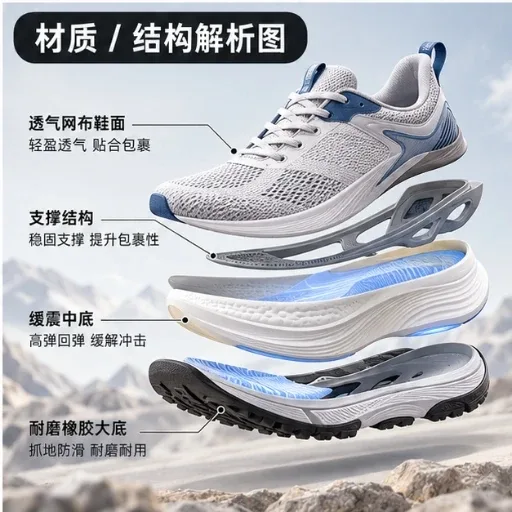 · caption: "Example image from handraw-style by yang0"
 - Prompt (copy):
Ecommerce materials and structure image. Goal: explain what the product is made of and why it matters. Audience: {audience}. Topic: {topic}. Copy: {copy}. Product: {product}. Materials, layers or components: {from your product info}. Use a cutaway, exploded view or layer diagram as fits. Keep the product photorealistic.EC-009 · Lifestyle Scene
- Use it for: Help shoppers picture life with the product.
- Example image:
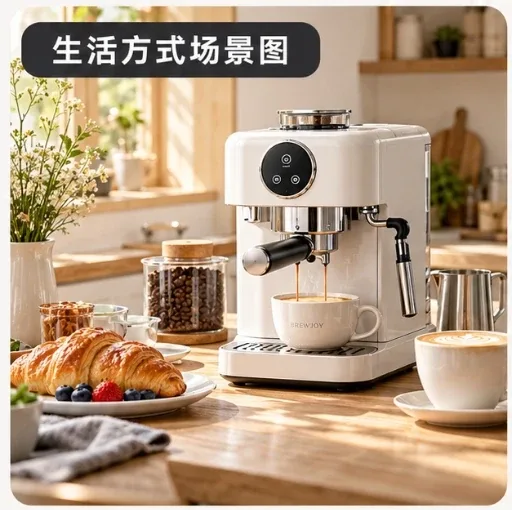 · caption: "Example image from handraw-style by yang0"
 - Prompt (copy):
Ecommerce lifestyle scene. Goal: let shoppers naturally imagine life after owning and using the product. Audience: {audience}. Topic: {topic}. Copy: {copy}. Product: {product}. Lifestyle setting: {your setting, or the best fit for the product's use, audience and brand tone}. Choose people, place, time, light and props. Keep the product photorealistic.EC-010 · Product in Use
- Use it for: Show a person actually using the product.
- Example image:
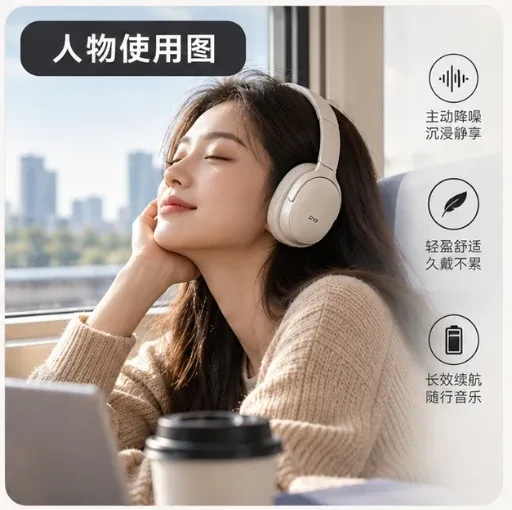 · caption: "Example image from handraw-style by yang0"
 - Prompt (copy):
Ecommerce product-in-use image. Goal: clearly show how a person really uses the product. Audience: {audience}. Topic: {topic}. Copy: {copy}. Product: {product}. User: {who; otherwise based on the target audience}. Action: {how it is actually used}. Choose pose, camera and setting. Keep the product photorealistic.EC-011 · Multi-Scenario Use
- Use it for: One product, 3–5 typical places it fits.
- Example image:
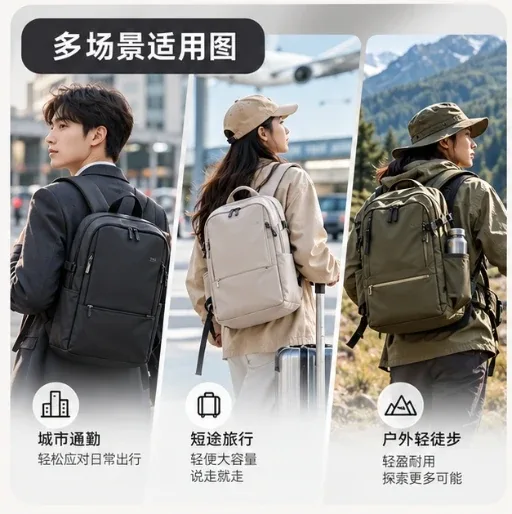 · caption: "Example image from handraw-style by yang0"
 - Prompt (copy):
Ecommerce multi-scenario image. Goal: show the same product fitting several typical scenarios. Audience: {audience}. Topic: {topic}. Copy: {copy}. Product: {product}. Scenarios: {yours, or the 3–5 most typical}. Keep a consistent look across panels. Keep the product photorealistic.EC-012 · How-To Steps
- Use it for: Step-by-step instructions for using the product correctly.
- Example image:
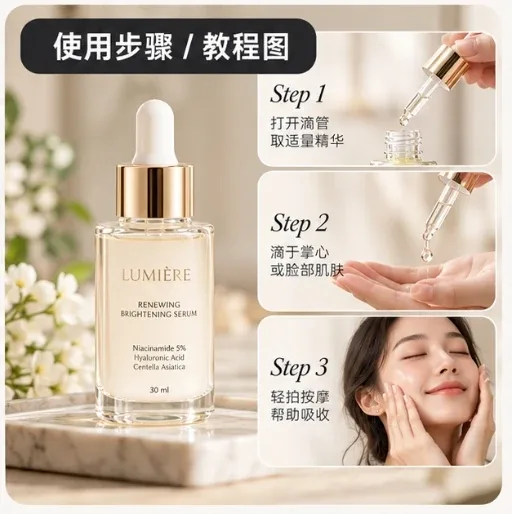 · caption: "Example image from handraw-style by yang0"
 - Prompt (copy):
Ecommerce how-to image. Goal: show how to use the product correctly. Audience: {audience}. Topic: {topic}. Copy: {copy}. Product: {product}. Steps: {from your manual or notes, in order; do not invent key steps}. Cautions: {only documented ones}. Keep the product photorealistic.EC-013 · Comparison
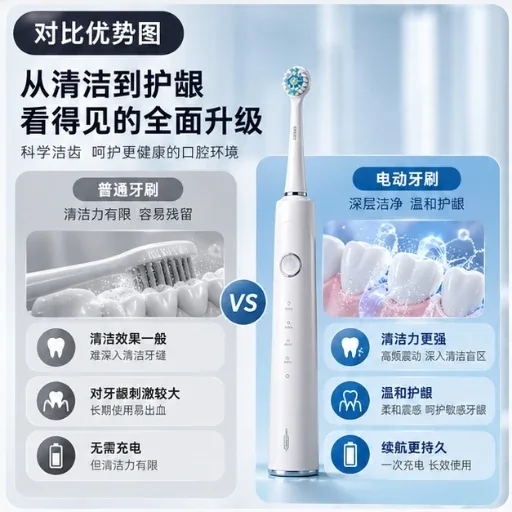
- Use it for: Show the key differences versus other options, using real facts only.
- Example image:
 · caption: "Example image from handraw-style by yang0"
 - Prompt (copy):
Ecommerce comparison image. Goal: show the key differences between this product and alternatives. Audience: {audience}. Topic: {topic}. Copy: {copy}. This product: {product}. Compared with: {only alternatives in your own data; never invent competitor facts}. Dimensions: {real differences}. Keep the product photorealistic.EC-014 · Variants & SKUs
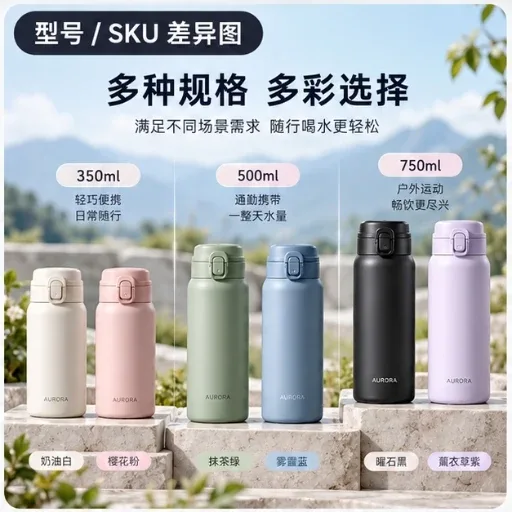
- Use it for: Help shoppers tell colors, sizes, capacities or models apart.
- Example image:
 · caption: "Example image from handraw-style by yang0"
 - Prompt (copy):
Ecommerce variant and SKU image. Goal: help shoppers tell versions apart by color, size, capacity or configuration. Audience: {audience}. Topic: {topic}. Copy: {copy}. Variant list: {from your data}. Main differences: {real differences only}. Group and label the variants clearly. Keep the product photorealistic.EC-015 · Fit & Buying Guide
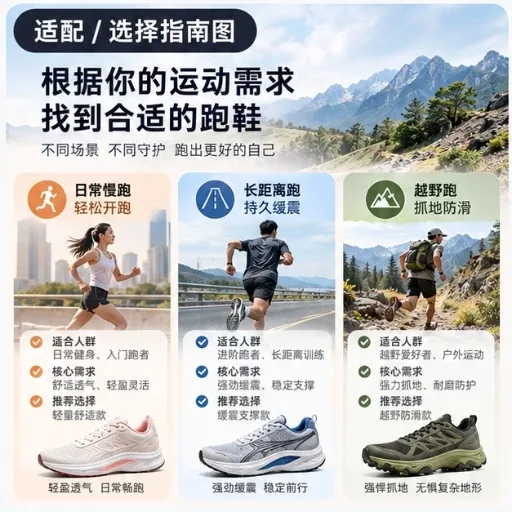
- Use it for: Help shoppers choose the right size, version or model.
- Example image:
 · caption: "Example image from handraw-style by yang0"
 - Prompt (copy):
Ecommerce buying guide image. Goal: help shoppers decide which version fits them. Audience: {audience}. Topic: {topic}. Copy: {copy}. Shopper conditions: {e.g. room size, device, use}. Choice criteria: {from real data}. Recommendations: {only rules from your data}. Keep the product photorealistic.EC-016 · FAQ & Notes
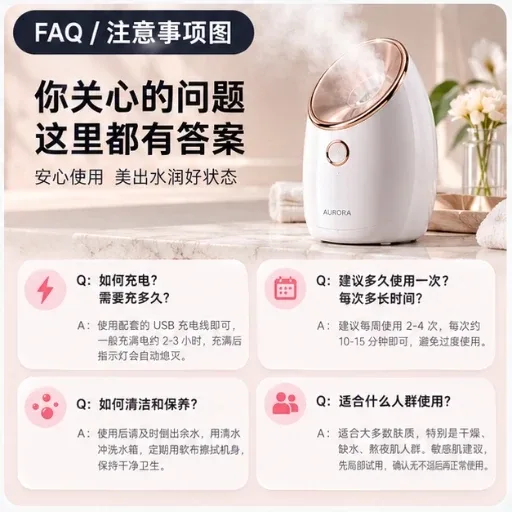
- Use it for: Answer pre-purchase questions and list limits or cautions.
- Example image:
 · caption: "Example image from handraw-style by yang0"
 - Prompt (copy):
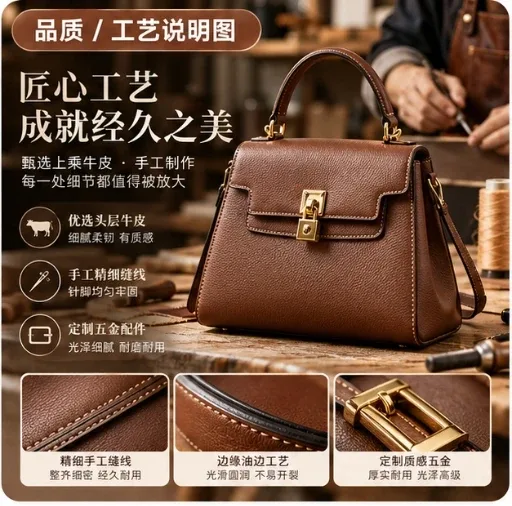
Ecommerce FAQ image. Goal: answer the most important pre-purchase questions and cautions. Audience: {audience}. Topic: {topic}. Copy: {copy}. Questions and answers: {yours, or only confirmable ones; never invent policies or promises}. Key notes: {from your data}. Keep the product photorealistic.EC-017 · Quality & Craftsmanship
- Use it for: Build value through real process, workmanship and quality details.
- Example image:
 · caption: "Example image from handraw-style by yang0"
 - Prompt (copy):
Ecommerce quality and craftsmanship image. Goal: build perceived value through real processes and quality details. Audience: {audience}. Topic: {topic}. Copy: {copy}. Product: {product}. Quality and process facts: {from your data}. Keep the product photorealistic.EC-018 · Certifications & Proof
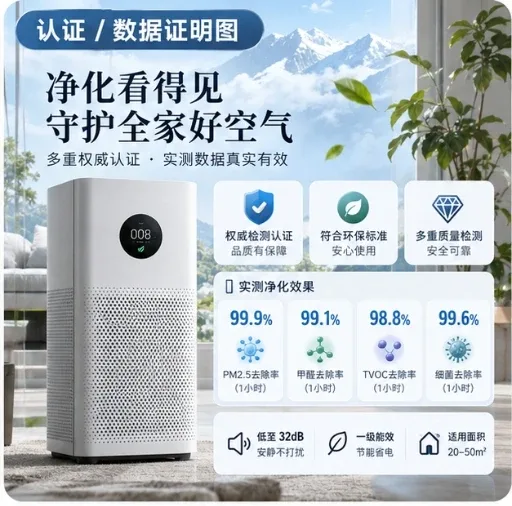
- Use it for: Show verifiable certifications, test results or performance data.
- Note: Only show certifications you actually hold.
- Example image:
 · caption: "Example image from handraw-style by yang0"
 - Prompt (copy):
Ecommerce proof image. Goal: build trust with verifiable certifications, test results or performance data. Audience: {audience}. Topic: {topic}. Copy: {copy}. Certifications or data: {only from your documents; if none, leave blank — never generate fake badges, numbers or test results}. Key takeaway: {summary}. Keep the product photorealistic.EC-019 · Reviews & Social Proof
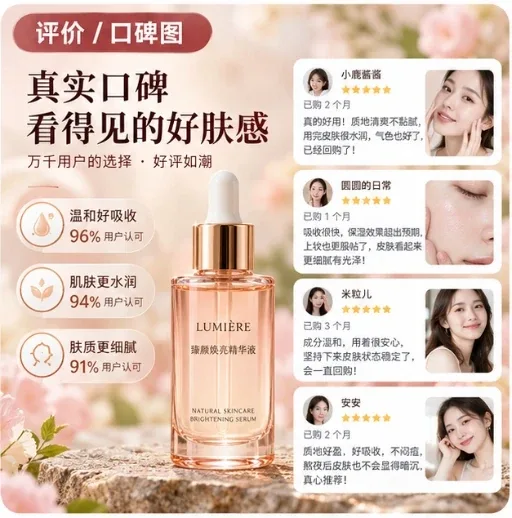
- Use it for: Present real customer feedback.
- Note: Use only real reviews and disclose AI-generated or sponsored content.
- Example image:
 · caption: "Example image from handraw-style by yang0"
 - Prompt (copy):
Ecommerce review image. Goal: build social proof with real customer feedback. Audience: {audience}. Topic: {topic}. Copy: {copy}. Reviews: {real customer reviews you have permission to use; never invent names, ratings, sales or quotes}. Themes: {keywords from those reviews}. Keep the product photorealistic.EC-020 · Brand & Origin Story
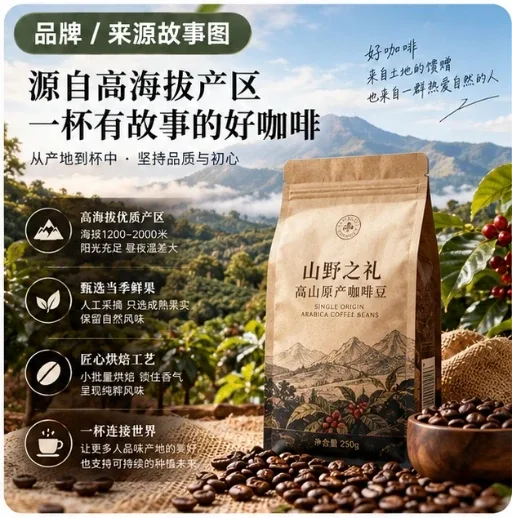
- Use it for: Tell the story behind the brand, origin or design idea.
- Example image:
 · caption: "Example image from handraw-style by yang0"
 - Prompt (copy):
Ecommerce brand story image. Goal: explain the brand, origin, design idea or making behind the product. Audience: {audience}. Topic: {topic}. Copy: {copy}. Brand or origin facts: {from your brand material}. Story focus: {the real details that best explain the product's value}. Keep the product photorealistic.EC-021 · New Arrival
- Use it for: Announce a new product or version worth noticing.
- Example image:
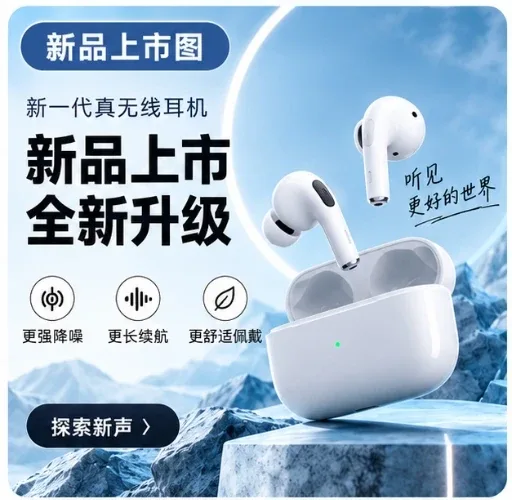 · caption: "Example image from handraw-style by yang0"
 - Prompt (copy):
Ecommerce new-arrival image. Goal: make it clear this is a new product or version worth attention. Audience: {audience}. Topic: {topic}. Copy: {copy}. New product: {product}. What's new: {real changes and value}. Launch date: {only if you provide it}. Keep the product photorealistic.EC-022 · Promotion & Sale
- Use it for: Make the deal and its urgency instantly clear.
- Example image:
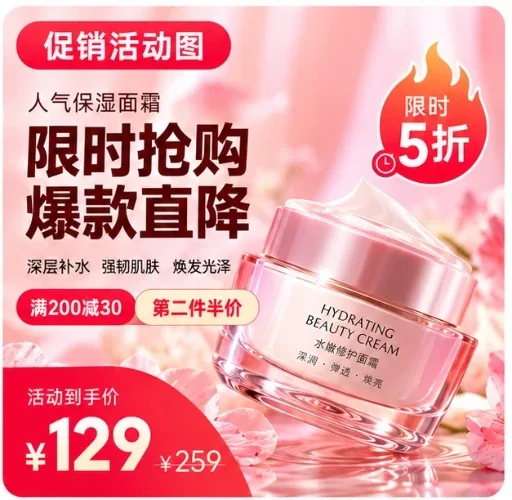 · caption: "Example image from handraw-style by yang0"
 - Prompt (copy):
Ecommerce promotion image. Goal: make the offer clear and create a reason to buy now. Audience: {audience}. Topic: {topic}. Copy: {copy}. Product: {product}. Offer: {real discount, bundle, gift or time limit}. Dates and conditions: {only what you provide}. Keep the product photorealistic.EC-023 · UGC-Style Post
- Use it for: A natural, shared-by-a-real-person look for social content.
- Note: Use only real reviews and disclose AI-generated or sponsored content.
- Example image:
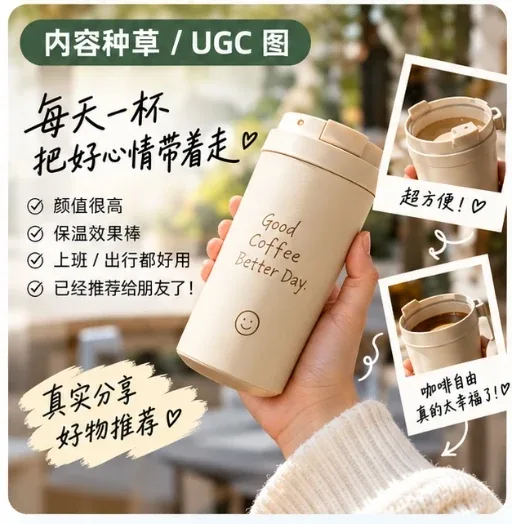 · caption: "Example image from handraw-style by yang0"
 - Prompt (copy):
Ecommerce UGC-style image. Goal: convey the product experience the way a real person would share it. Audience: {audience}. Topic: {topic}. Copy: {copy}. Product: {product}. Experience and reasons to recommend: {yours; without real experiences, use only known product features and never pose as a real customer}. Platform: {e.g. Instagram, Xiaohongshu}. Keep the product photorealistic.EC-024 · Hero / Key Visual
- Use it for: One bold campaign visual built around the product.
- Example image:
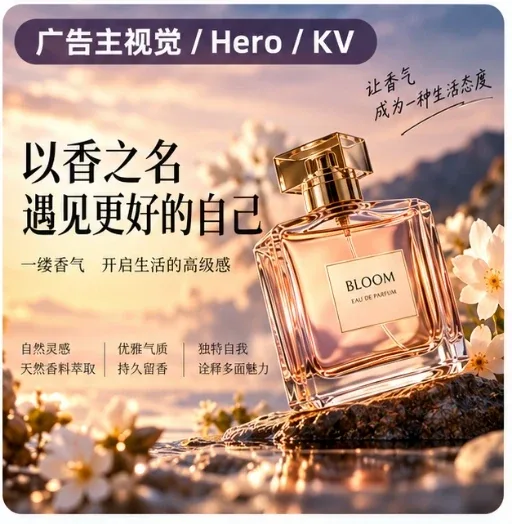 · caption: "Example image from handraw-style by yang0"
 - Prompt (copy):
Ecommerce hero key visual. Goal: build one strong, focused, shareable visual concept around the product. Audience: {audience}. Topic: {topic}. Copy: {copy}. Product: {product}. Core message: {from selling points, brand and campaign goal}. Creative direction: {yours, or propose one}. Keep the product photorealistic.FAQ
Are these AI product image templates free? Yes. You can browse all 24 templates and copy their prompts for free, without signing in. Generating images in the GenTidy studio needs an email sign-in and credits.
Will the AI change how my product looks? Every template tells the model to keep the product photorealistic. For best results, add a clear photo of your product as a reference image, then check the result against the real item before publishing.
Can I use these prompts with other AI image tools? Yes. The prompts are plain text. Fill in the fields and paste them into any image model you use.
Will the template make up reviews or certifications? No. The specs, certification, review, comparison and promotion templates tell the model to use only the information you provide and to leave fields blank rather than invent data.
Which template should I start with? Start with EC-001 Main Product Image. Then reuse that image as the reference for the other templates so your listing looks consistent.
Do I need to write the prompt in English? No. Write the copy fields in the language you want to appear in the image. The studio interface is available in English and Chinese.